Related games







Published on: October 2026
Game technology: HTML5
Platforms: PC, Phone, Tablet
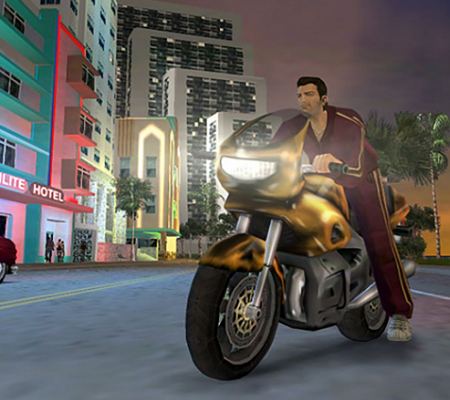
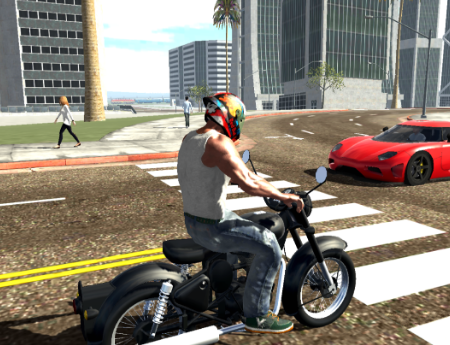
A failed drug deal forces Tommy Vercetti to investigate Vice City’s criminal organizations in GTA VC on Browser. This open-world action game follows Tommy as he attempts to recover stolen money and establish his own criminal business. Players explore a city inspired by Miami, complete missions for different characters, and participate in activities outside the main storyline. The browser version retains the driving, shooting, and exploration mechanics of the original GTA Vice City.
From Small Jobs to Criminal Power
The story begins when Tommy arrives in Vice City on behalf of Sonny Forelli. After a deal goes wrong, he starts working with lawyer Ken Rosenberg, Lance Vance, and other local figures. Missions involve transporting characters, stealing vehicles, assassinating targets, and fighting rival gangs. As Tommy gains influence, he can purchase businesses that unlock additional assignments and generate income.
Exploring the City Between Missions
Vice City consists of two main landmasses connected by bridges, with districts including Ocean Beach, Little Havana, Downtown, and Viceport. Players initially explore a limited area before unlocking additional locations through story progression. The city contains moving traffic, pedestrians, shops, safehouses, and different types of transportation.
Activities available in the game include:
- Driving cars, motorcycles, boats, and helicopters.
- Completing taxi, ambulance, and firefighter missions.
- Purchasing properties and managing criminal businesses.
- Collecting hidden packages throughout the map.
- Using firearms, explosives, and melee weapons.
- Escaping police pursuits with increasing wanted levels.
- Participating in street races and stunt challenges.
Optional activities provide money and rewards that help players complete more difficult assignments. Police officers respond to crimes, and higher wanted levels introduce increasingly aggressive pursuit tactics. Players can reduce police attention by escaping the search or using designated vehicle repair garages.
Controls and Mission Progression
GTA VC on Browser uses keyboard and mouse controls. WASD moves Tommy, the mouse controls aiming, Space allows jumping, and F is used to enter or exit vehicles in supported browser editions. Missions appear as markers on the map, and players can approach them to begin objectives. There are no numbered levels; progression follows story missions, unlocked districts, and business activities. Supported browser versions also allow players to save their progress and continue later.
